

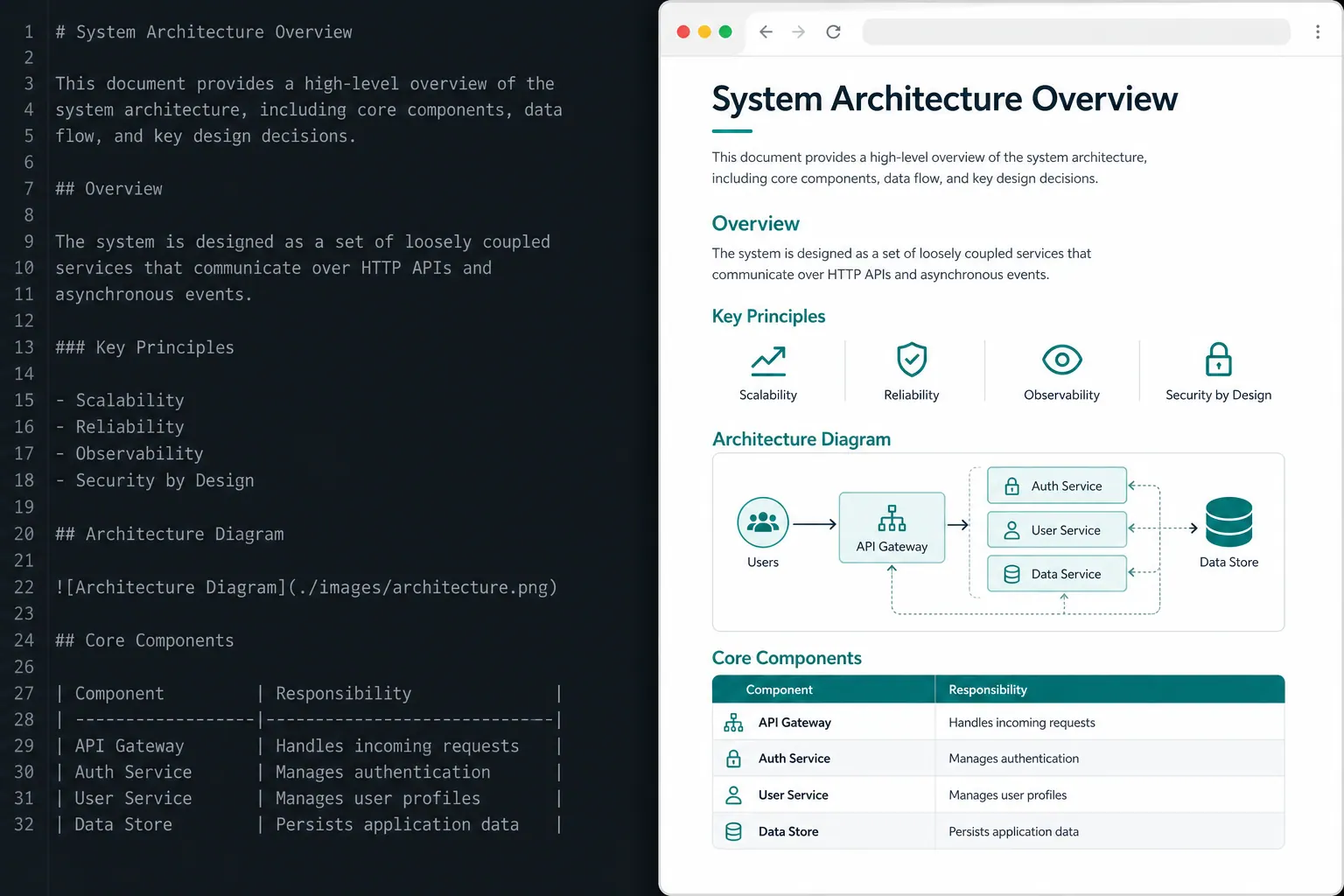
I once shipped a project wrap-up for a client as a .md file, opened Notion, and shared my screen. The client looked at it and said: “Can this look normal? You know—images, charts, the works.” The file opened fine. The content was right. It still read like a bullet list, not a deliverable.
That stuck with me. The problem was not that Markdown fails to open. Notion, Obsidian, and every modern tool render it out of the box. The problem was how it looked when someone else was watching.
A rendered HTML page reads as finished work. A Markdown file in a plain editor reads as a draft. Same words, different signal—and the person across the table reacts to the signal, not the file extension.
One question instead of rules
Before you generate another document, ask:
Will people read this, or edit it?
That answer routes everything:
| Situation | Format | Why |
|---|---|---|
| Client presentation | .html | Looks like a product; prints to PDF |
| Meeting recap, daily digest | .html | One click, feels complete |
| Screenshot for Slack | .html | Looks like a report, not “a file” |
| README, ADR, spec | .md | Edited daily; Git diffs cleanly |
| Agent memory / skills | .md | Machines parse it cheaply |
| Code review with margin notes | .html | Colored severity, side annotations |
| Interactive prototype | .html | Sliders, buttons, export |
Read → HTML. Edit → Markdown. When you are unsure, that line is enough.
When HTML is the right call
Client presentations
Skip the “do you have PowerPoint installed?” dance. One self-contained HTML file opens on any device. Print to PDF once. Reuse the same template for the next deck.
The client clicks a link and sees something finished—not a repo artifact they are supposed to imagine styled.
Reports and summaries
Our team dailies lived as Markdown in Notion for months. Open rate hovered around 12%. Same content moved to a single HTML page with light typography and section breaks. Open rate climbed to 40%. Nothing broke on the technical side; the surface changed how people treated the link.
CI/CD summaries
Pipeline output landed as .md in artifacts/. People ignored it. I switched to HTML with green/amber/red badges and a small inline SVG chart. Screenshots started showing up in Slack. Time-to-fix on flagged failures dropped—roughly 3× faster on the weeks we tracked it, because the signal was obvious at a glance.
Code review packs
Markdown cannot show a diff with margin notes, severity colors, and a readable flowchart in one scroll. HTML can. That matters when you are handing findings to someone who will not open your IDE.
Interactive prototypes
A one-file HTML page with sliders and a “Copy as JSON” button lets a colleague tune parameters without touching your repo. They open the link, play with values, paste what worked.
Tip: always end interactive pages with an export action. You stay in the loop, but the loop gets tighter.
Custom one-off editors
The strongest case: build a throwaway HTML editor for a specific dataset, then export back to JSON or YAML for the pipeline. Humans get a UI; automation keeps structured input.
When Markdown is the compromise (and that’s fine)
Markdown is not bad. It is built for collaboration.
Use Markdown when:
- The file will be edited every week
- Git must show clean text diffs
- An AI agent reads the file as context (project memory, skills,
AGENTS.md) - The doc lives in the repo as living documentation
Markdown wins for: README files, ADRs, specs, agent memory, skill files, tutorials that change in PRs. For diagrams that must diff with source, keep Mermaid in Markdown next to the code.
Tokens and context
Yes, HTML uses more tokens than Markdown. With current context windows, that rarely matters in practice. What costs you is attention: a report nobody opens wastes the whole run.
Tokens are cheap; attention is not.
If you are trimming agent payloads, see token discipline for agent context—but do not confuse lean machine context with lean human deliverables.
The real mechanism
Open an HTML report and you see a result. See a result and you react. React and you change the process.
Documents that look finished get treated as finished. Documents that look like scratch notes stay in the “I’ll read this later” pile—often forever.
Template that actually ships
Minimal starter for presentations and status pages:
<!DOCTYPE html>
<html lang="en">
<head>
<meta charset="utf-8" />
<meta name="viewport" content="width=device-width, initial-scale=1" />
<title>Project Summary — 2026-05-22</title>
<style>
:root { --accent: #0d9488; --muted: #64748b; }
body { font-family: system-ui, sans-serif; line-height: 1.55;
       max-width: 52rem; margin: 2rem auto; padding: 0 1rem; color: #0f172a; }
h1 { font-size: 1.5rem; border-bottom: 2px solid var(--accent); padding-bottom: 0.5rem; }
section { margin: 2rem 0; }
.badge { display: inline-block; padding: 0.15rem 0.5rem; border-radius: 4px; font-size: 0.85rem; }
.ok { background: #dcfce7; color: #166534; }
.warn { background: #fef9c3; color: #854d0e; }
.bad { background: #fee2e2; color: #991b1b; }
@media print { body { margin: 0; } .no-print { display: none; } }
</style>
</head>
<body>
<main>
<h1>Project Summary</h1>
<section>
<h2>Status</h2>
<p><span class="badge ok">On track</span>
   <span class="badge warn">Risks identified</span>
   <span class="badge bad">Blocked</span></p>
</section>
</main>
</body>
</html>
Rules that survive email and archives: one file, inline CSS, badge semantics (ok / warn / bad), @media print, no CDN fonts unless you control the network.
Wire it into agent config
Paste this into AGENTS.md, CLAUDE.md, or a Cursor rule:
When generating documents for humans to read (reports, summaries,
presentations for colleagues or clients):
- Default: one self-contained .html with inline CSS
- Semantic HTML: <main>, <section>, h1–h3
- @media print: drop heavy backgrounds, sane page breaks
- Light theme; max 2 accent colors; system-ui fonts
- Data: badge system (ok/warn/bad); inline SVG where useful
- Save under artifacts/ next to .md if both are needed

For material people will edit (README, ADR, specs, agent memory):
- Keep Markdown

When unsure: "Is this for reading or editing?"
Read → HTML. Edit → Markdown.
Leave docs/project_notes/*.md as Markdown for PR edits. Export weekly digests from those files as HTML when you need something people actually open.
FAQ
Should AI agents default to HTML or Markdown?
Default to HTML for read-once human artifacts (reports, briefings, client packs) and Markdown for editable repo docs (README, ADRs, skills, agent memory). One routing question—read or edit—beats a long style guide.
Does HTML waste tokens in Claude or Cursor?
HTML is larger per file, but context limits are rarely the bottleneck. Unread Markdown in artifacts/ wastes the entire generation. Optimize for opens and forwards, not byte count.
When is Markdown still mandatory?
When Git diffs, GitHub rendering, or agent parsing matter: living documentation, specs in flux, Mermaid diagrams beside source, and memory files agents reload every session.
What to do this week
Pick one recurring artifact: Friday regression summary, sprint retro, pentest readout, release note for non-engineers. Add the output-format block above to your agent config. Re-run the same prompt. Open the .html in a browser next to last week’s .md.
Update one skill that produces that artifact so HTML is the default path. Ten minutes per skill. After a week, check which files you actually opened—the HTML ones usually win.
You are not failing at AI if nobody reads your Markdown reports. You are routing format to the wrong audience. One paragraph in config and one habit change fixes that.